He experimentado bastante con tecnologías, herramientas e ideas. Aquí tienes una selección de los proyectos que mejor representan lo que disfruto construir: automatizaciones, experimentos full-stack, infraestructura y herramientas personales.
Mi VPS personal
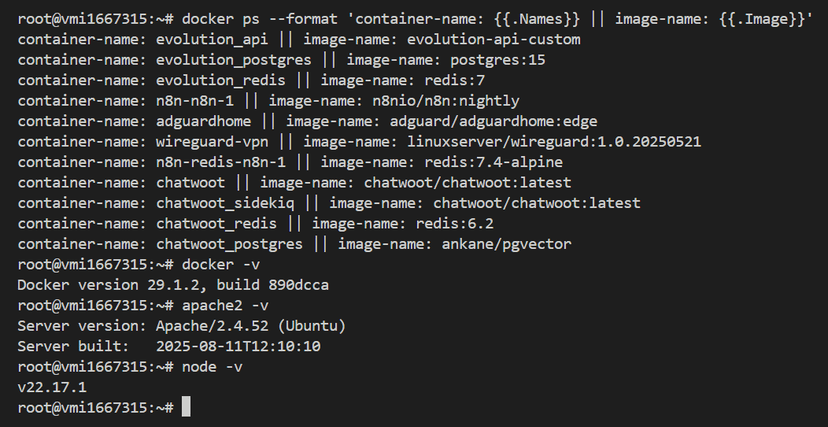
Ejecuto gran parte de mis proyectos en un servidor VPS que administro yo mismo. Es mi laboratorio personal para desplegar servicios, probar automatizaciones y alojar aplicaciones web.
- Hosting de varios proyectos web aislados con contenedores Docker.
- Ejecución de herramientas como n8n, Chatwoot, Evolution API, PostgreSQL, Redis y más.
- Uso de WireGuard en contenedor para convertir el VPS en un servidor VPN privado.
- Gestión de certificados SSL, reverse proxy y DNS para subdominios.
Junlab | Sitio personal
Esta web es uno de mis proyectos principales. La construí con Next.js y Tailwind CSS. Me sirve como portafolio y también como entorno para probar ideas, mejorar frontend y experimentar con interfaces.
- Construida con React moderno y App Router.
- Diseño limpio y enfocado en legibilidad.
- Layout responsive pensando en accesibilidad.
Automatización de WhatsApp para Autocares Baraza
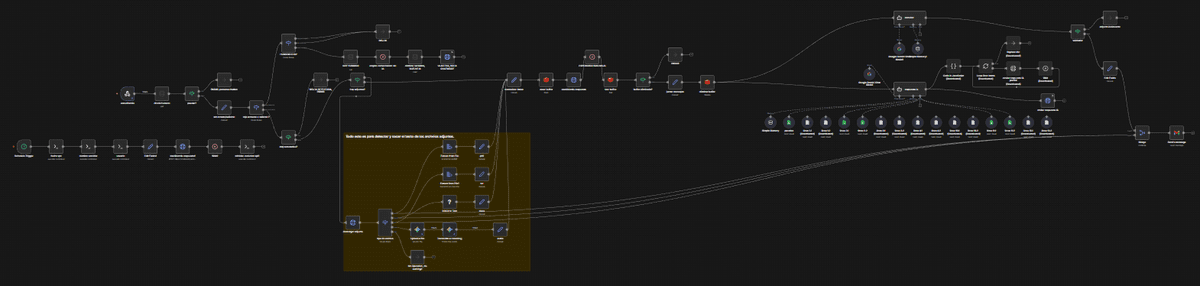
Una de las automatizaciones más importantes que hice. Conecta el WhatsApp de la empresa con varios sistemas para agilizar cómo se reciben y responden los mensajes de clientes.
- Integración entre Chatwoot, n8n y Evolution API.
- Enrutado de mensajes con lógica condicional según necesidad.
Creación de feed GTFS
Trabajé en convertir horarios de autobús y paradas a formato GTFS, el estándar usado por apps de transporte como Google Maps.
- Creación de rutas, viajes, calendarios, stop times y shapes desde cero.
- Transformación de horarios no estructurados a datos consistentes.
- Diseño manual de shape de rutas con herramientas de mapas.
Otros experimentos y side projects
También me gustan los experimentos pequeños: scripting, pruebas con agentes de IA, librerías nuevas y tecnología en general. No todo acaba en proyecto grande, pero siempre me ayuda a aprender.
- Scripts Bash y PowerShell para automatizar tareas.
- Pruebas con modelos de IA en local.
- Entornos Docker Compose para prototipado rápido.
Mapeo personalizado de botones de ratón en Linux
Necesitaba replicar en Linux los atajos de zoom que usaba en Windows con X-Mouse Button Control. Como Linux no trae esa herramienta, construí una solución para usar los botones laterales del ratón como lupa global.
Este proyecto me ayudó a integrar accesibilidad en mi flujo diario, permitiéndome ampliar y reducir cualquier app al instante.
- Identificación del dispositivo y códigos de botón con xinput.
- Captura de eventos del ratón con xbindkeys.
- Simulación global de atajos con xdotool.
- Bindings personalizados:
- Botón lateral 1 -> Win + (Zoom In)
- Botón lateral 2 -> Win - (Zoom Out)
Funcionó de forma estable en todas las aplicaciones y fue una buena muestra de cómo adaptar Linux a mis necesidades de accesibilidad.
Perdí esa instalación de Linux, así que tendrás que fiarte de mi palabra.
VPN privada con WireGuard y AdGuard Home
Uno de mis proyectos de infraestructura más útiles es una VPN privada con WireGuard combinada con AdGuard Home para bloqueo de anuncios y rastreadores a nivel de red.
WireGuard actúa como base del túnel VPN: ligero, rápido y fácil de auditar. Lo uso para acceder de forma segura a mis servicios y conectar varios dispositivos sin exponerlos directamente a internet.
AdGuard Home resuelve DNS para clientes VPN y permite bloquear dominios no deseados desde la propia resolución.
- WireGuard en Docker como servidor VPN privado.
- AdGuard Home gestionando DNS de clientes VPN.
- Visibilidad de clientes conectados y actividad DNS.
- Separación entre servicios públicos e infraestructura privada.
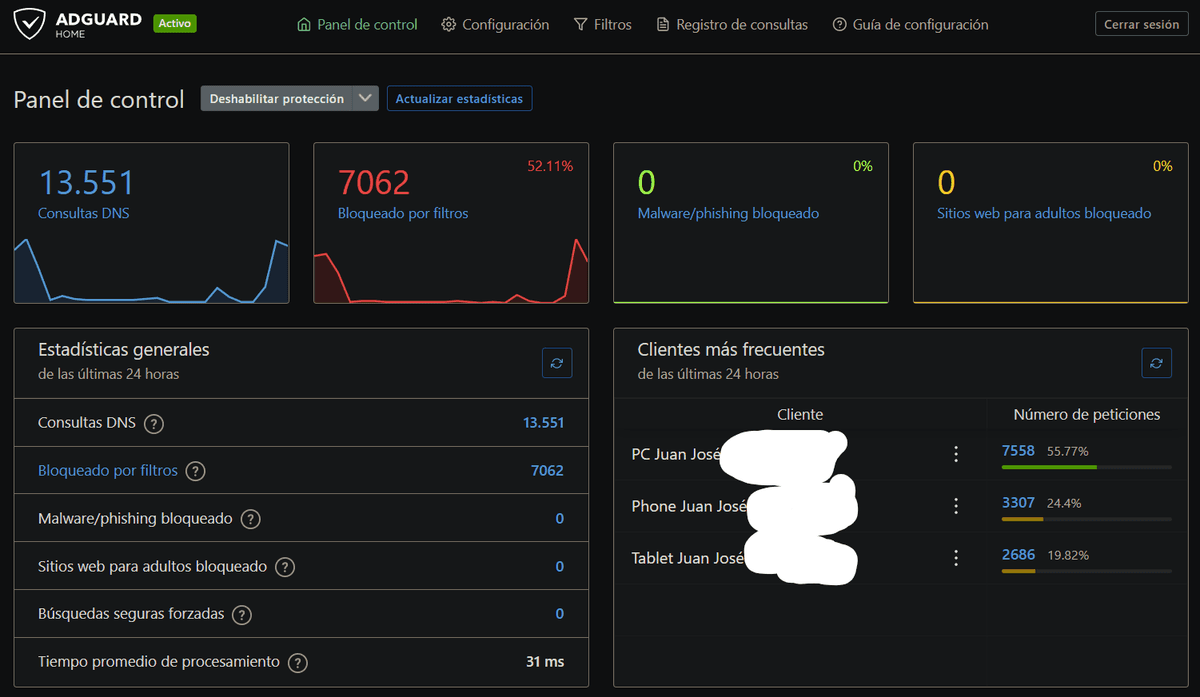
Este setup me ayudó a entender mejor conceptos de red como routing, NAT, resolución DNS e identificación de clientes.
Gestor de contraseñas self-hosted con Vaultwarden
Vaultwarden es mi gestor de contraseñas self-hosted. Es una implementación open source y ligera, compatible con clientes Bitwarden, ejecutada en mi propio VPS.
Buscaba control total de credenciales sin depender de proveedores cloud de terceros. Vaultwarden me permite guardar contraseñas y notas seguras bajo mi propia infraestructura.
El servicio corre en Docker y se publica con reverse proxy bajo HTTPS.
- Instancia propia de Vaultwarden en Docker.
- Almacenamiento cifrado de contraseñas y notas seguras.
- Acceso desde clientes oficiales de Bitwarden (desktop, móvil y navegador).
Este proyecto reforzó mi comprensión de trade-offs de seguridad y gestión de secretos en self-hosting.